

TL;DR
- Follow a documented co-managed IT vendor integration checklist to map ownership, data flows, and regulatory requirements before any connector is enabled.
- Prioritize SIEM and EDR first, then backup and IAM; preserve logs 1+ year where NYDFS, NY SHIELD, HIPAA, or PCI apply.
- Use clear SLAs, jump-host access, and regular testing to avoid misconfigured alerts, missed backups, and audit gaps.

Introduction — why vendor & tool integration matters in co‑managed models
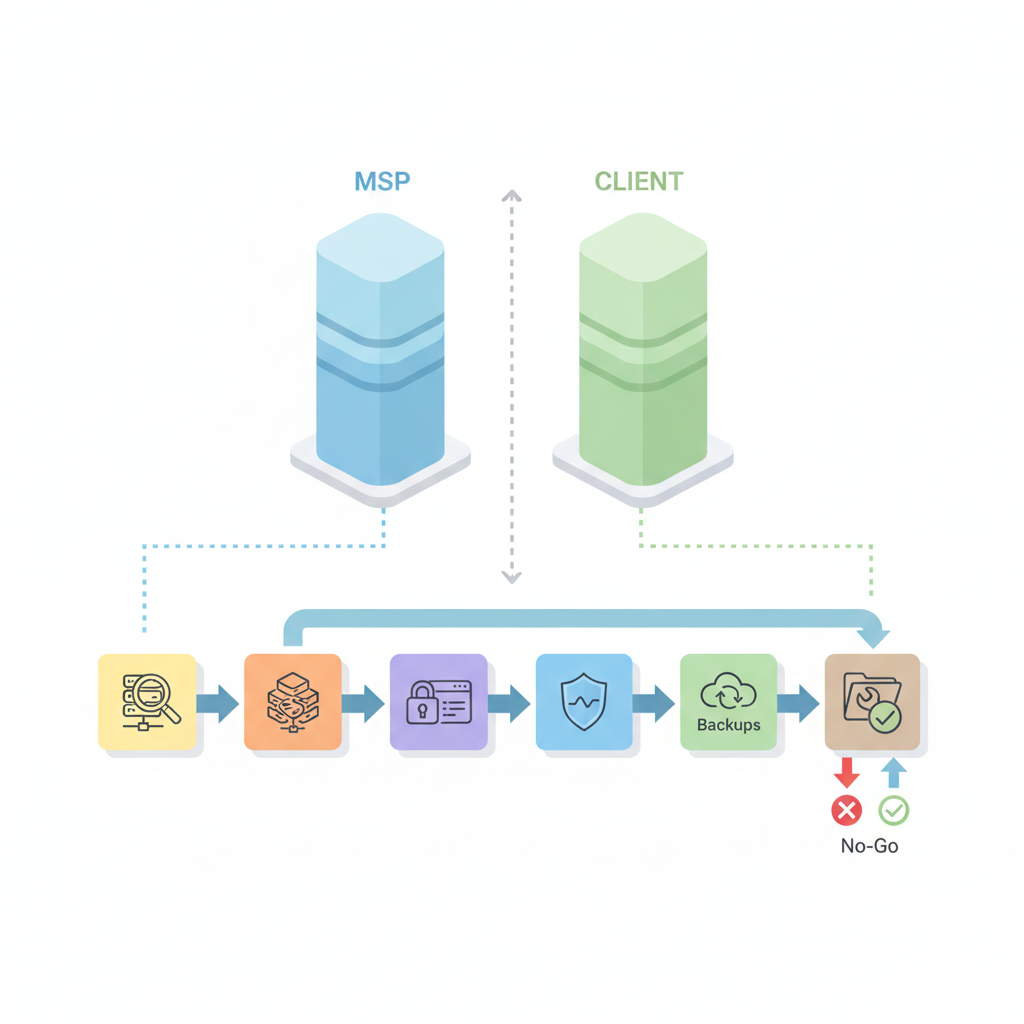
Co‑managed IT splits responsibilities between an in‑house team and an external provider. A strong co-managed it vendor integration checklist prevents duplicated controls, unclear escalation paths, and regulatory gaps that cost time during audits and incident response. For NJ & NY regulated SMBs, map every integrated tool to the applicable regulation (HIPAA, PCI, NYDFS, NY SHIELD, NJ privacy/security requirements) and assign a single documented owner.
This guide gives you a practical, platform‑specific approach: inventories you can copy, an integration priority table (SIEM, EDR, Backup, IAM), and reusable checklists to hand to vendors. It assumes you operate in regulated sectors in New Jersey or New York and need to prove controls during audits or respond to incident inquiries quickly.
Always assign one documented owner per integrated tool; shared responsibility without a single owner creates audit gaps.
When NOT to use co‑managed IT
- When a single vendor must retain full liability for compliance and your contracts demand exclusive vendor control.
- When internal staff lack any capability to perform routine tasks and there’s no capacity to accept defined responsibilities.
- When systems require proprietary on‑prem tooling that the MSP cannot access under your security policies.
- When mergers/acquisitions demand immediate centralization rather than shared ownership.
Pre-integration steps: inventories, ownership, and discovery
Start with discovery. Without a complete inventory, connectors get enabled to the wrong accounts, or logs stream into unmonitored buckets. Run a discovery sprint that documents assets, SaaS, admin accounts, and network chokepoints. Capture ownership, existing SLAs, backup scope, retention settings, and compliance tags in one canonical spreadsheet.
Assign owners early. For each tool record a primary owner (internal) and a secondary owner (MSP/MSSP contact). This resolves incidents faster because responders know who can approve temporary access, escalate to executives, or confirm data classification. For more on this, see Contact us.
Practical example: if Finance uses a niche payments processor that stores card data, record PCI applicability, the processor’s contact, whether the processor provides logs, and whether the MSP has read access to those logs. That single row avoids confusion during a PCI scan or a breach investigation.
Asset & SaaS inventory template
| Asset / SaaS | Owner (internal) | MSP/MSSP contact | Data types | Regulatory tags | Access method | Backup scope | Retention (days) |
|---|---|---|---|---|---|---|---|
| Active Directory | IT Manager | Engineer@mspprov.com | Identities, credentials | NYDFS, NY SHIELD | LDAP/SSO | System state + AD backup | 365 |
| Payments SaaS | Head of Finance | Support@payments.com | Cardholder data | PCI | API | Transaction exports | 400 |
Data classification & regulatory mapping (HIPAA, PCI, NYDFS, NJ requirements)
Classify data into at least three tiers: public, internal, and regulated (PHI, PCI, or DFS‑covered). Map each SaaS/asset to regulations and required controls. Many NY‑regulated firms must preserve audit logs for 1+ year depending on the sector; check Part 500 controls for log retention and access rules (NYDFS Part 500 checklist).
Actionable step: for every asset mark the minimal log retention and encryption standard required. Example thresholds: full‑audit logs retained 365 days for systems containing PHI; transaction logs 400 days for PCI reconciliation. Where state law is ambiguous, default to 365 days and document the decision.
Map each tool to specific regulations—don’t use broad categories; cite the exact clause or requirement in your inventory.
Core tool categories and integration requirements
This section lists core categories, integration needs, and concrete configuration checks. Prioritize integrations by risk and audit value: stream critical logs to SIEM, deploy EDR on all endpoints, ensure backups are encrypted and tested, and centralize identity in SSO with MFA. The integration priority table below is copyable for AI snippets and governance documents.
| Priority | Tool | Why | Minimum requirement |
|---|---|---|---|
| 1 | SIEM | Centralized alerting, log preservation for audits | Immutable storage, 365d retention where regulated |
| 2 | EDR | Detect & contain endpoint threats | Full telemetry + remote remediation |
| 3 | Backup | Recoverability after ransomware or outage | Encrypted at rest, RTO/RPO defined & tested |
| 4 | IAM | Single source of truth for identities | SSO + MFA + automated provisioning |
Integrations must include documented API scopes, credential rotation frequency, and a rollback plan for each connector. For regulated firms, add compliance-specific controls—e.g., SIEM retention tied to NYDFS guidance and the NY SHIELD Act’s data safeguards.
Endpoint protection (EDR) — integration checklist
EDR integration should follow a clear technical checklist:
- Confirm licensing covers all endpoint classes (servers, desktops, laptops).
- Install sensors in staged waves: pilot (10–20 endpoints), validation (50–100), full rollout.
- Enable telemetry forwarding to SIEM with documented log format (CEF/JSON) and ensure P95 telemetry ingestion latency <300ms for critical alerts where possible.
- Document response playbooks and ensure MSP/MSSP co-managed responsibilities include remote quarantine and forensics handoff.
Example: when deploying EDR, include a temporary admin approval workflow where internal IT grants the MSP a 6‑hour Just‑In‑Time admin token for incident remediation, logged for audit.
SIEM / log streaming — retention, access, and alerting standards
SIEM is the central piece for compliance. For NJ & NY regulated entities, ensure immutable log storage, role‑based access controls, and retention aligned to legal requirements. Concrete standards to record in your integration checklist:
- Retention: set default 365 days for regulated workloads; longer for transaction systems if required by PCI or sector rules.
- Access: multi‑factor access to SIEM console, read‑only analyst vs full‑admin segregation.
- Alerts: baseline set of tuned alerts for authentication anomalies, privileged account usage, and data exfiltration; noise reduced to maintain meaningful MTTR.
Also document the siem integration with msp workflow: which alerts the MSP handles first (tier 1 triage), which require internal escalation, and which trigger regulatory notification timelines.
Backup & disaster recovery — encryption, RTO/RPO, testing
Backups must be auditable and testable. Your backup integration checklist nj ny should include encryption at rest (AES‑256), encryption in transit (TLS 1.2+), immutable snapshots where supported, and documented RTO/RPO per system. Example thresholds: RTO <4 hours for core financial systems; RPO <1 hour for transactional databases—adjust to business tolerance and cost.
Testing: schedule quarterly restore tests and record runbooks. For co‑managed setups, define who runs restores (MSP vs internal) and a contact list for emergency approvals. Keep test evidence—screenshots, logs, and time‑to‑recovery metrics—for auditors.
Identity & access management — SSO, MFA, provisioning workflows
IAM is the control plane. Implement SSO with MFA across all business apps and document provisioning/deprovisioning flows. The onboarding tools must include automated user lifecycle events (hire, role change, exit) and audit trails. For co‑management, define provisioning permissions: e.g., internal HR triggers provisioning while MSP holds override rights during incidents.
Checklist items: configure SAML/OIDC where available, enforce conditional access for high‑risk locations, and require MFA for all privileged operations. Record a KPI: mean time from termination to access revoke should be <4 hours for regulated accounts.
Connectivity & access controls: VPNs, jump hosts, temporary admin access
Connectivity controls determine how the MSP/MSSP touches systems. Avoid permanent VPN credentials and prefer bastion/jump hosts with session recording. For co‑managed access, implement these controls:
- Use a jump host with recorded RDP/SSH sessions stored in immutable logs for at least 365 days when regulated.
- Issue Just‑In‑Time (JIT) admin access with automatic expiry; require internal ticket approval recorded in the change log.
- Restrict direct VPN tunelling to dedicated support endpoints; segregate management VLANs from production traffic.
Example workflow: an MSP engineer requests JIT admin via the ticketing system, internal owner approves, and a one‑time key is provisioned for exactly 6 hours. All activity during that window is forwarded to the SIEM and retained for audit.
Prefer ephemeral access over permanent credentials; recorded sessions and immutable logs are non‑negotiable for regulated environments.
Documentation, SLAs and change control for integrated tools
Documentation transforms controls into auditable artifacts. For each integrated tool maintain a one‑page runbook: owner, contact, escalation steps, API scopes, credential rotation cadence, and rollback procedures. Put these runbooks in a versioned repository and tie them to your change control board.
SLAs must be explicit about tool ownership. Define who is responsible for updates, incident triage windows, and compliance deliverables. A co‑managed model often uses split SLAs: the MSP is accountable for monitoring and remediation response windows, while the client is accountable for business approvals and internal data classification.
Change control: require a standard request template that lists the tool, change rationale, risk assessment, test plan, and rollback plan. Changes touching SIEM, EDR sensors, or backups should require a test window and a post‑change verification checklist.
Example SLA clauses for tool ownership and escalation
Copyable SLA clauses simplify contracting. Use declarative language such as:
- Tool ownership: "Client retains ownership of data; MSP provides monitoring and remediation services for the EDR and SIEM components as defined in Attachment A."
- Escalation: "MSP will escalate unresolved critical incidents to Client within 60 minutes of detection and provide status updates every 30 minutes until resolution or containment."
- Change approvals: "No change impacting backup retention, encryption, or SIEM parsing may be applied without Client written approval and a successful test restore."
Adjust timeframes to match your internal risk appetite; always record the escalation chain with named roles (not just titles).
Common integration pitfalls & mitigation
Pitfall 1: unclear ownership. Mitigation: single owner per tool recorded in the inventory and SLA. Pitfall 2: noisy SIEM alerts after EDR onboarding. Mitigation: staged rollout, tuning period, and agreed baselines for alert thresholds. Pitfall 3: backup scope mismatches—important data excluded or inconsistent retention. Mitigation: reconcile backups to the asset inventory quarterly and run test restores.
Other pitfalls include expired credentials for API connectors, misaligned time zones causing log gaps, and missing audit trails when MSPs use shared admin accounts. Mitigate these by enforcing API key rotation, configuring NTP across systems, and requiring unique, logged session access via jump hosts.
Concrete decision rule: do not enable any connector in production until it has passed a sandbox test and a test that verifies end‑to‑end telemetry (ingestion into SIEM, alert generation, and successful storage in immutable buckets).
Templates & next steps (checklist, owner assignments, testing plan)
Below are reusable artifacts you can copy into your onboarding playbook. They are intentionally prescriptive so you can hand them to vendors with minimal edits.
Integration readiness checklist (copy/paste)
- Inventory row completed with owner, MSP contact, regulatory tags.
- Data classification confirmed and documented.
- API scopes & credentials created and stored in vault.
- Test connector in sandbox and verify logs reach SIEM.
- Backup snapshot created and a restore test completed.
- Change approved by internal owner and scheduled with rollback window.
- Post‑integration verification: alert verification, retention check, access audit.
Owner assignment table (example)
| Tool | Primary owner | MSP contact | Escalation 2 |
|---|---|---|---|
| SIEM | Security Lead | mssp.ops@provider.com | CISO |
| Backup | IT Ops | backup.team@provider.com | Head of IT |
Testing plan (step summary)
- Sandbox connect: enable connector in test tenant and verify ingestion.
- Functional test: trigger a synthetic alert and confirm SIEM detection and ticket creation.
- Restore test: perform a file and system restore from backup and record RTO/RPO.
- Access test: grant JIT admin and verify session recording appears in logs.
- Sign‑off: owners verify outcomes and mark the inventory as 'Integrated'.
Conclusion — governance and continuous review cadence
Integration is not a one‑time project; it’s governance. Establish a quarterly review cadence where owners review inventories, run restores, validate retention, and tune SIEM rules. Include an annual compliance mapping review to ensure your controls align with updates to NYDFS, NY SHIELD, HIPAA, and PCI guidance (see references).
Quotable: "Integration without documented ownership converts coverage into confusion."
When you’re ready to move from checklist to action, align the runbooks with procurement and legal, and link each tool to your change control system. If you use vendor partners, specify mssp co-managed responsibilities in the SLA and keep one canonical runbook per tool for audits. For managed IT and security capabilities aligned to the steps above, review our services or schedule a demonstration at our services.
FAQ
What is vendor & tool integration checklist for co-managed it in regulated nj & ny businesses? For more on this, see Co-managed it nj ny.
The vendor & tool integration checklist for co‑managed IT is a documented set of discovery, ownership, configuration, testing, and compliance mapping steps that a regulated NJ or NY business uses to onboard third‑party tools while assigning clear responsibilities and audit artifacts.
How does vendor & tool integration checklist for co-managed it in regulated nj & ny businesses work?
The checklist works by forcing a repeatable sequence: inventory and classification, owner assignment, sandbox testing, controlled connector enablement, verification (alerts, retention, restores), and inclusion in change control and SLAs so that all parties can prove compliance during audits.